
Blog & Insights

Discover clinical studies, expert guidance, and industry trends on advanced skin imaging and aesthetic diagnostic technology.

0%

Choosing a professional skin imaging system is not simply a matter of selecting the highest magnification. The right device should produce clear, repeatable images that support careful skin assessment and patient communication. An Observ 520x skin imaging device may appear attractive, but its practical value depends on image quality, lighting consistency, software usability, and staff training.

A useful evaluation begins with daily clinical workflow. Can the device capture a stable image within seconds? Does it show pores, pigmentation, redness, and texture without confusing shadows for skin changes? Operators should examine sample images under identical conditions, much like comparing photographs taken beside the same window. Connectivity also matters. The system should fit existing records, reporting procedures, and privacy safeguards. Manufacturer documentation, service support, warranty terms, and independent professional feedback deserve equal attention.

No device is perfect. Even experienced practitioners can interpret an image incorrectly when lighting, positioning, or skin preparation changes. This guide therefore considers both strengths and limitations, rather than treating technology as a substitute for professional judgment. Readers should verify technical specifications with the manufacturer and follow applicable healthcare, data protection, and advertising requirements in their region. A careful choice can improve consultations, but only when reliable imaging is combined with trained observation and honest communication. That balance matters most.
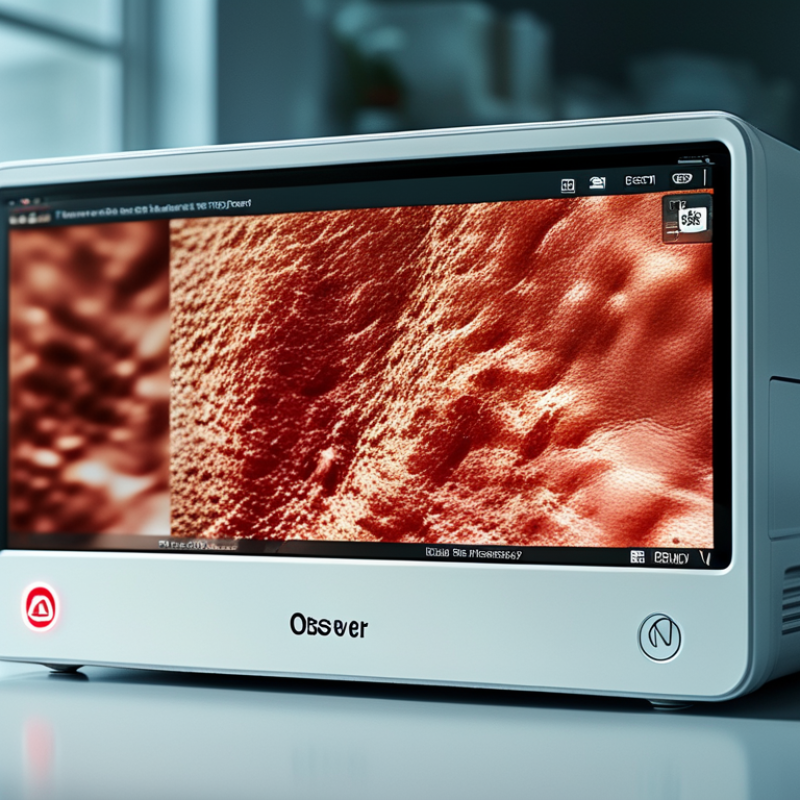
How to Choose an Observ 520x Skin Imaging Device?

Understanding the OBSERV 520x Skin Imaging Device

Understanding a skin imaging device begins with its imaging method, not its appearance. A reliable system should combine controlled lighting, polarized views, and optional ultraviolet illumination. These modes reveal surface texture, redness, pigmentation, and hidden contrast. The World Health Organization reported in 2023 that nearly 1.8 billion people live with skin conditions at any time. That scale increases the need for consistent documentation, especially in busy clinics.

Look for repeatability. The camera should maintain a fixed distance, stable exposure, and clear patient positioning. A calibration target can reduce color shifts between appointments. Ask whether the software stores images securely and supports side-by-side comparisons. During practical use, I would photograph the same cheek twice. If shadows move or tones change noticeably, the device may weaken clinical confidence. Small differences matter.

Do not overtrust a colorful image. It supports assessment, but it does not replace medical examination or laboratory testing. Professional imaging guidance commonly emphasizes standardized capture, patient consent, and controlled lighting. Those details are easy to overlook. They should not be.

A 2024 market analysis from Grand View Research projected continued growth in skin diagnostic technologies, driven partly by teledermatology and image-based records. Growth alone proves little. Buyers should test workflow speed, image consistency, staff training, and data protection before choosing a system. An impressive interface cannot correct poor technique.

Identifying Your Skin Analysis and Imaging Requirements

How to Choose a 520x Skin Imaging Device?

Identifying Your Skin Analysis and Imaging Requirements

Begin with the clinical question, not the device screen. Do you need routine photography, lesion monitoring, pigmentation assessment, or cosmetic consultation? A 520x skin imaging device should match that purpose. Standardized lighting matters greatly. Look for consistent distance, fixed positioning, color calibration, and repeatable exposure. These details help compare a cheek today with the same cheek months later. They also reduce misleading changes caused by shadows or camera settings.

The global need is substantial. The International Agency for Research on Cancer reported 331,722 new melanoma cases worldwide in 2022. Yet imaging supports assessment; it does not replace professional diagnosis. Choose systems that capture visible, polarized, and cross-polarized views when appropriate. Clear image labeling is essential. Secure storage and controlled access are equally important, especially when facial images enter patient records. Industry research reports also identify workflow integration and artificial intelligence as major drivers in the skin imaging market, but automation still requires trained human review.

Test the device with real scenarios. Photograph dry skin, uneven pigmentation, fine lines, and a small changing spot. Check whether images remain comparable under different operators. Ask about calibration, software updates, export formats, and staff training. I would not trust impressive magnification alone. More detail can expose texture without improving clinical judgment. That matters. A polished report may still hide weak lighting, poor positioning, or inconsistent documentation. Build a review process that records uncertainty, not just attractive images.

Evaluating Imaging Modes, Features, and Technical Performance

Choosing an Observ 520x skin imaging device requires more than checking its pixel count. The imaging modes should match the questions your practice asks every day. Standard illumination shows visible tone and texture. Cross-polarized light can reduce surface glare and reveal redness patterns more clearly. Other modes may highlight pores, pigmentation, or oil distribution. Each image needs consistent lighting, distance, and positioning. Otherwise, comparisons become unreliable.

Look closely at the device’s technical performance. A sharp camera is useful, but repeatability matters more during follow-up assessments. Test the same area several times and compare color, focus, and exposure. Ask whether the system supports calibration, fixed image settings, and secure data storage. Fast capture can improve workflow, yet speed should not replace image quality. Small details matter.

A high-resolution sensor can still produce misleading results. I have seen evaluations focus on dramatic images while ignoring measurement consistency. That is a weakness. Reviewers should inspect sample reports, software controls, and export options before purchase. Check performance under different skin tones and room lighting. Some systems may require staff training or regular maintenance. That cost is easy to underestimate. Choose evidence over attractive demonstrations, and document your testing criteria before making a decision.

Comparing Installation, Usability, and Clinical Compatibility

How to Choose a 520x Skin Imaging Device?

Installation often determines whether a skin imaging device becomes useful or forgotten. Check its footprint, power requirements, network access, and room lighting before purchase. A compact unit may fit beside an examination chair, but poor cable placement can obstruct movement. OECD Health at a Glance 2023 reported an average of 3.7 physicians per 1,000 people across OECD countries. This supports workflows that save staff time. Setup should be repeatable, not dependent on one technically skilled employee. Keep it practical.

Usability depends on small details. Can a nurse capture consistent images after brief training? Does the system guide distance, focus, and patient positioning? A 2022 IARC Global Cancer Observatory report estimated 331,722 new melanoma cases worldwide. Image consistency therefore matters during follow-up, not only during first assessment. Test the device with different skin tones, lesion sizes, and common examination positions. A bright screen is not automatically a clinical advantage. Glare can hide subtle features.

Clinical compatibility requires more than image quality. Confirm support for DICOM, secure export, audit trails, and integration with existing electronic records. IEC 62366-1 usability principles can help teams assess human-error risks during real workflows. I would also test image retrieval during a busy clinic session. No device is perfect. Our first evaluation missed the time needed for cleaning and patient repositioning. That oversight changed the purchase criteria. A technically impressive system may still fail if clinicians cannot compare images quickly, document findings clearly, and maintain consistent capture conditions.

How to Choose an Observ 520x Skin Imaging Device? - Comparing Installation, Usability, and Clinical Compatibility

Evaluation Dimension Compact Tabletop System Multi-Angle Enclosed System Portable Handheld System Recommended Selection Focus
Typical footprint Approximately 45–70 cm wide; suitable for a standard consultation desk Approximately 80–120 cm wide; requires a dedicated imaging area Approximately 10–25 cm wide; can be stored in a cabinet or mobile cart Match the device size to room layout, patient flow, and privacy requirements
Installation requirements Level desk, stable power outlet, computer, and controlled indoor lighting Dedicated floor space, power outlet, computer, and consistent ambient-light control Battery or USB power, compatible computer or tablet, and a clean capture surface Check electrical access, network connectivity, ventilation, and available working space
Typical setup time Usually 30–90 minutes for physical setup and software configuration Usually 1–3 hours, including positioning, calibration, and lighting checks Usually 10–30 minutes for software installation and operator training For multi-room clinics, prioritize short setup and repeatable calibration procedures
Image acquisition Standardized frontal and selected facial views; operator positioning is important Repeatable frontal, left, and right facial views with greater positioning consistency Flexible close-up imaging of selected areas; results depend more on operator technique Choose fixed positioning for longitudinal tracking and handheld flexibility for targeted assessment
Common illumination modes Visible light plus selected polarized or ultraviolet-assisted views, depending on configuration Multiple standardized illumination modes, often including visible, polarized, and ultraviolet-assisted imaging Usually visible and polarized imaging; advanced modes vary by configuration Confirm that the available modes support the clinical questions being assessed
Capture time per patient Approximately 2–5 minutes for a routine standardized facial series Approximately 3–7 minutes, including patient positioning and image review Approximately 1–4 minutes for focused areas; full-face capture may take longer Consider consultation volume, queue length, and the number of images required per visit
Operator training Basic training is generally sufficient; consistent head position and distance remain essential Moderate training recommended for positioning, calibration, and image-quality checks Moderate hands-on training needed to maintain focus, distance, angle, and lighting consistency Use a written capture protocol and periodic competency checks for all operators
Repeatability Good when a fixed chair, distance marker, and lighting protocol are used Very good because the enclosure and fixed camera geometry reduce positioning variation Variable unless a distance guide, fixed settings, and standardized operator technique are used For before-and-after comparisons, repeatability is more important than maximum image resolution
Patient comfort Generally comfortable; patients sit upright and follow simple positioning instructions Generally comfortable, although the enclosed structure may feel less suitable for some patients Comfortable for localized imaging; prolonged close positioning may be less convenient Consider accessibility, mobility limitations, anxiety, and the need for frequent repeat visits
Data export Commonly supports standard still-image formats such as JPEG or PNG; verify software options Commonly supports image export and structured patient records; integration depends on software Usually supports standard still-image export; clinical-system integration may be limited Confirm file formats, metadata handling, user access controls, and export permissions before purchase
Clinical compatibility Suitable for cosmetic consultations, routine follow-up, treatment documentation, and patient education Suitable for high-volume clinics, standardized monitoring, and longitudinal comparison Suitable for targeted lesion documentation, bedside assessment, and multi-room workflows Select the format that best supports the intended workflow rather than imaging features alone
Limitations to consider Requires dedicated desk space and consistent ambient lighting Higher space requirement, longer installation, and less portability Greater operator dependence and potentially lower consistency across visits Assess total workflow impact, not only camera specifications or image modes
Best fit by practice type Small dermatology, aesthetic, or primary-care consultation rooms Dedicated dermatology or aesthetic centers with frequent standardized imaging Mobile services, treatment rooms, research assessments, or focused documentation Prioritize installation simplicity for small spaces and repeatability for monitoring programs

Note: Specifications shown are representative ranges and workflow characteristics commonly associated with these device categories. Actual performance depends on the final configuration, software, room conditions, calibration, and operator protocol.

Assessing Costs, Support, Maintenance, and Data Security

When choosing an Observ 520x skin imaging device, assess the full cost rather than the invoice alone. Include installation, staff training, software subscriptions, calibration, and replacement accessories. A cheaper system may become expensive after two years. Ask for a written five-year ownership estimate. It should show service fees and expected downtime. Request a live demonstration with typical clinic lighting. Not just the invoice. Compare image consistency across operators, skin tones, and repeat visits. Clinical value depends on reliable images, not impressive screens.

Support quality affects daily workflow. Check response times, remote troubleshooting, loaner equipment, and local technician coverage. Ask whether staff receive updated operating guidance after software changes. Maintenance records should be simple, searchable, and exportable. The device should provide clear calibration instructions and service alerts. Test how quickly a routine issue can be resolved. Do not guess. This is where many evaluations become too optimistic. A small fault can interrupt appointments for hours.

Data security deserves the same attention as image quality. Confirm encryption during transfer and storage, individual user accounts, strong authentication, and role-based access. Clarify where images are stored and how long they remain there. Verify backup procedures, audit logs, deletion controls, and incident notification steps. The system should support applicable privacy requirements in every operating region. Ask whether data can be exported in a usable format without hidden charges. Do not assume cloud storage is automatically safer. It may be, but the contract and configuration matter. Document every answer before purchase, including promises made during demonstrations.

FAQS

What should I identify before choosing a 520x skin imaging device?

Start with the clinical question. Choose routine photography, lesion monitoring, pigmentation review, or cosmetic consultation. The device should match daily needs.

Why are standardized lighting and positioning important?

They make images comparable over time. Keep distance, exposure, and positioning consistent. A shadow can imitate a skin change.

Which imaging modes may be useful?

Standard illumination shows visible tone and texture. Polarized views can reduce glare and clarify redness patterns. Other modes may display pores, pigmentation, or oil distribution.

Is high resolution enough for reliable skin assessment?

No. Repeatability matters more than dramatic detail. Test the same cheek several times. Sharp images can still mislead.

How should a device be tested before purchase?

Use real scenarios. Photograph dry skin, uneven pigmentation, fine lines, and a changing spot. Compare results from different operators and room conditions.

What installation details should a clinic check?

Check the footprint, power needs, network access, and room lighting. Leave space beside the examination chair. Bad cable placement becomes annoying quickly.

What makes a skin imaging system easy to use?

It should guide distance, focus, and patient positioning. A nurse should capture consistent images after brief training. Bright screens are not always better.

How should facial images and reports be managed?

Use secure storage, controlled access, clear labels, and audit trails. Check export formats and electronic-record integration. Missing labels create confusion later.

Can imaging replace professional diagnosis?

No. Imaging supports assessment. Trained professionals must review the findings. Automation needs human oversight, especially with uncertain images.

What evaluation mistake should clinics avoid?

Do not focus only on impressive demonstrations. Our first checklist missed cleaning and repositioning time. That changed the criteria. Real workflow testing is essential.

Conclusion

Choosing the right Observ 520x skin imaging device requires a clear understanding of your clinical, aesthetic, or research objectives. Begin by identifying the types of skin analysis you need, such as assessing pigmentation, redness, texture, pores, or other visible conditions. Then evaluate the device’s imaging modes, image clarity, lighting consistency, capture speed, and software functions to ensure it can produce reliable and easy-to-interpret results. The system should support standardized photography and provide useful comparisons over time.

Installation, daily operation, and compatibility with existing clinical workflows are also important considerations. Look for an ergonomic design, intuitive controls, flexible space requirements, and smooth integration with your documentation or consultation process. Finally, review the total cost of ownership, including training, technical support, maintenance, updates, and data security. A well-chosen device should offer dependable performance, protect sensitive client information, and remain practical for long-term use. Comparing these factors carefully will help you select an imaging solution that matches your specific needs and budget.

Charlotte

Charlotte

Charlotte is a professional marketing specialist with a deep understanding of the company’s products, customers, and industry trends. With a strong combination of market insight, strategic thinking, and clear communication skills, she is dedicated to helping businesses discover practical solutions......